
Managing Your Campaign
Managing your direct mail campaign has never been easier. With iPrintPost, all your submissions are stored in your account, giving you complete control over every aspect of your campaign.
Take Full Control of Your Direct Mail Campaigns with iPrintPost. Review, Edit, and Optimise Every Submission
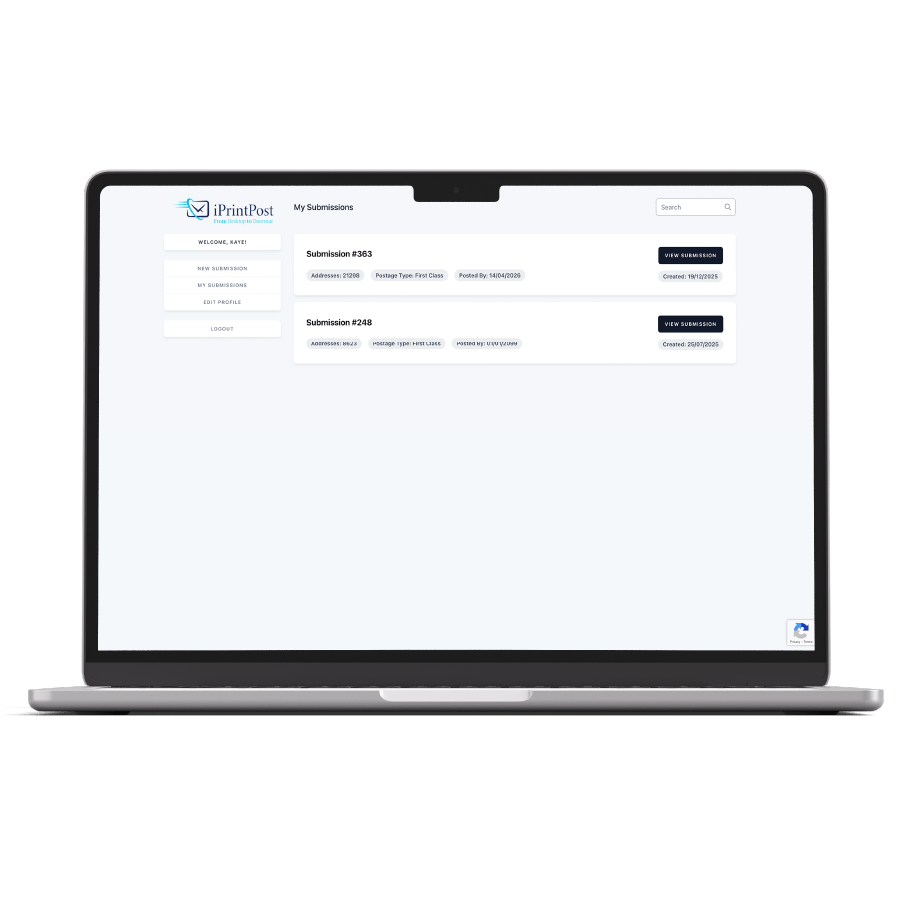
Access Your Dashboard
Once registered, your iPrintPost account provides a central dashboard where all of your campaigns are stored. From here, you can quickly:
-
View past and current campaigns
-
Check delivery areas and address counts
-
Track the status of your submissions
-
Edit campaign details or make updates after submission
Having all your campaigns in one place gives you transparency and ensures you stay in control throughout the process.
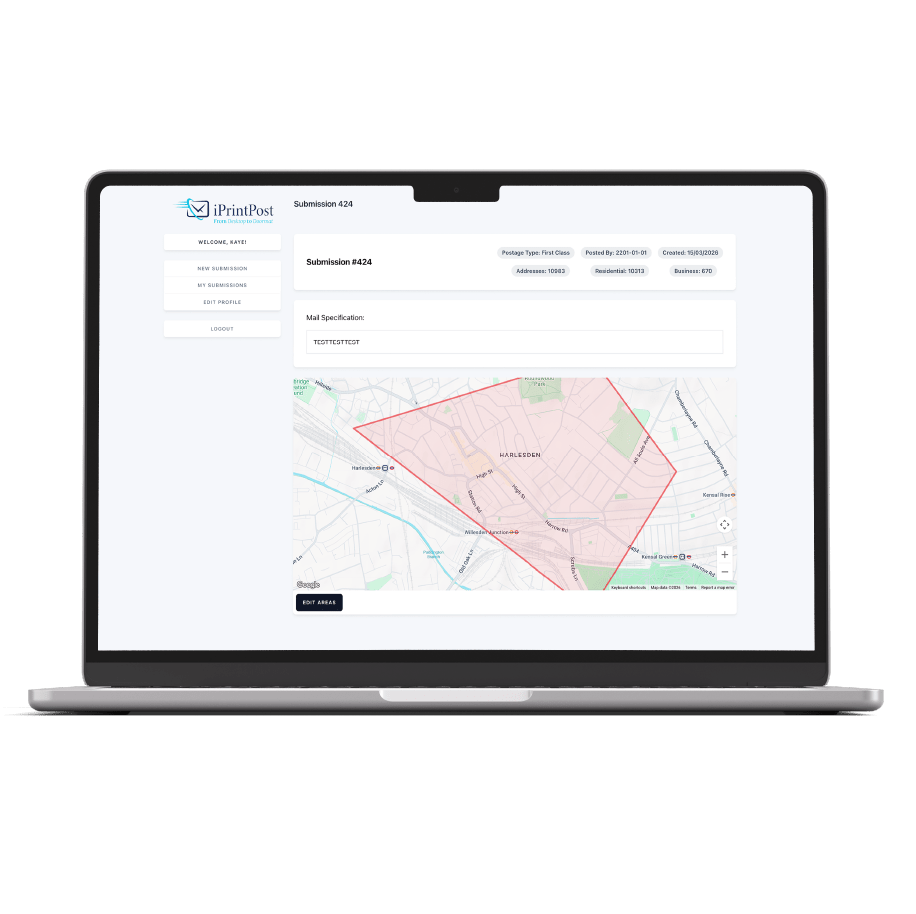
Edit Your Campaign After Submission
Boundaries change, priorities shift, and sometimes updates are needed after a campaign has been submitted. With iPrintPost, there’s no need to start over.
You can log into your account at any time and adjust the range of your campaign. This includes:
-
Expanding or refining delivery areas
-
Adding or removing streets or business locations
-
Updating quantities or formats (if needed before production)
These edits can be made without resubmitting the entire campaign, saving time and ensuring your marketing always reaches the right audience.
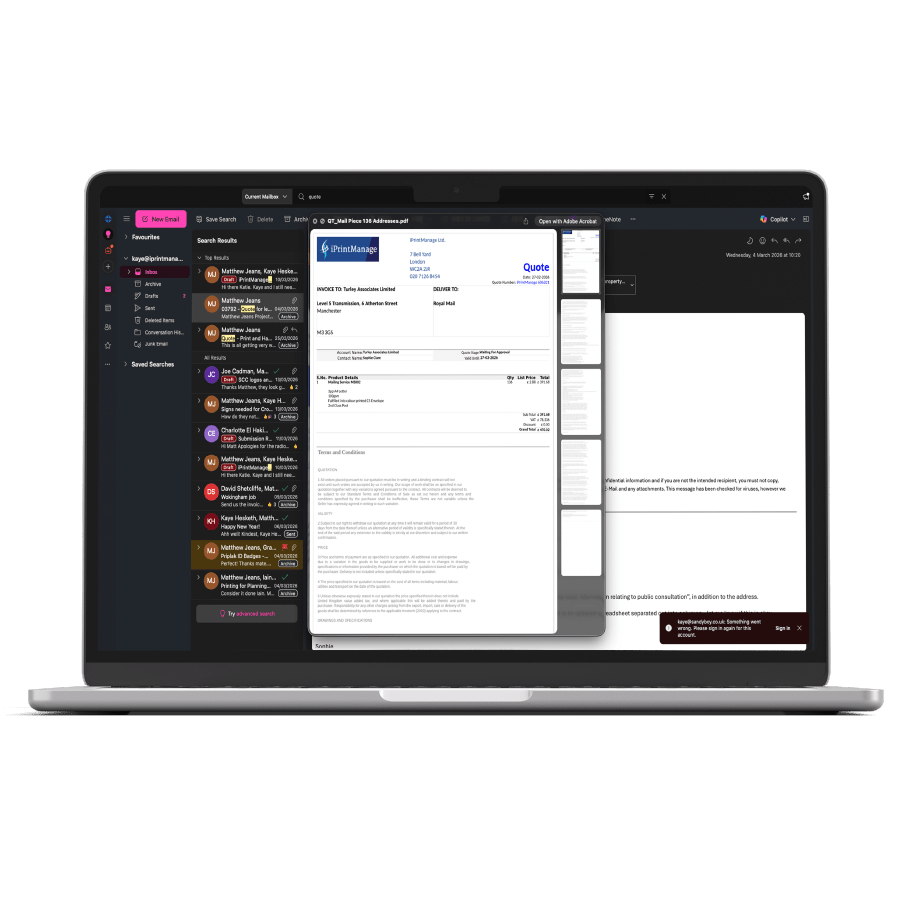
Review Quotes Quickly
After submitting your campaign brief, our team generates a detailed quote – usually within one hour. This includes:
-
Total households and businesses in your delivery zones
-
Selected print formats and quantities
-
Overall campaign cost
You can review the quote via email and request changes directly with your account handler if necessary. Only once you approve the quote does your campaign move into production.
This transparent, human-led quoting process allows you to make informed decisions without delay and ensures your campaigns stay on schedule.
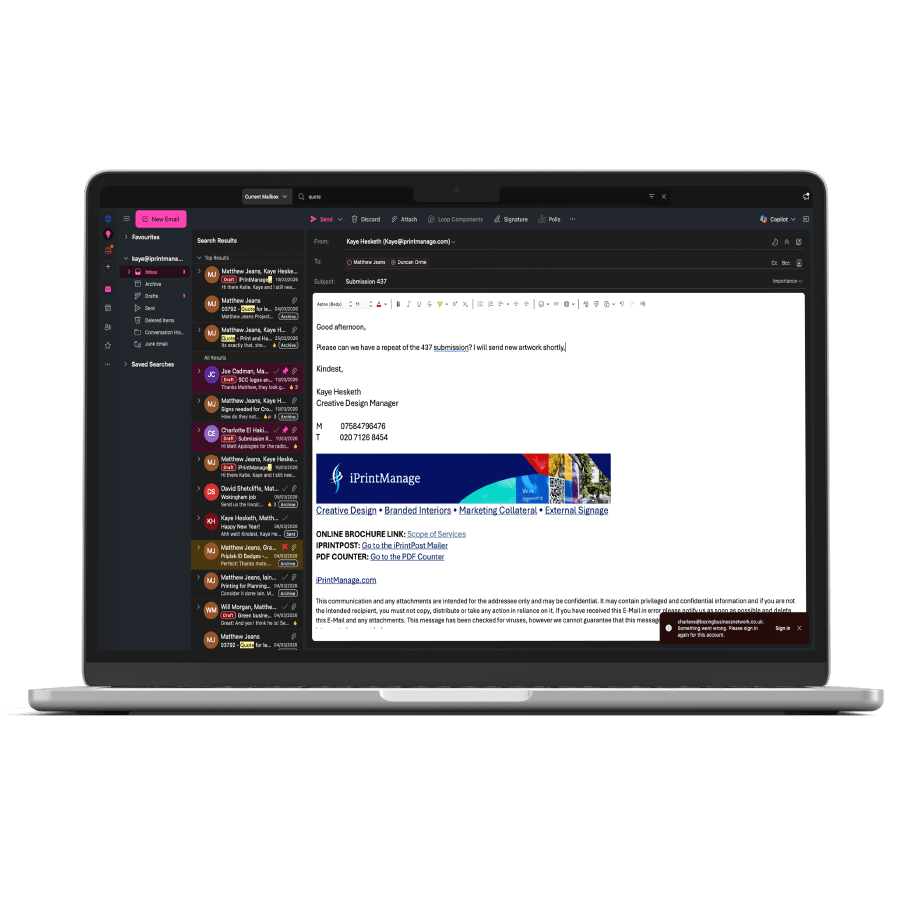
Repeat and Optimise Campaigns
Direct mail marketing works best when campaigns are consistent. iPrintPost makes it easy to repeat successful campaigns, refine delivery areas, or expand your reach.
All past submissions remain stored in your account, making it simple to:
-
Quickly ask an account manager to duplicate a previous campaign
-
Adjust targeting based on results or updated priorities
-
Maintain a consistent marketing presence with minimal effort
This long-term approach ensures that each campaign is smarter, more efficient, and more effective than the last.
Start Managing Your Campaign Today
With iPrintPost, you’re not just submitting campaigns – you’re actively managing your marketing. Take full control of your direct mail campaigns, optimise your reach, and simplify the entire process from start to finish.
Who We Work With
Clients Supported
Campaigns Deployed
Mailers Sent






Artwork Guideline
FAQs
Will you check my artwork?
We carry out a basic pre-flight check to ensure:
-
Correct size
-
Bleed included
-
Resolution appears suitable
We do not proofread content or check spelling unless artwork services are requested.
What happens if my artwork is not set up correctly?
If we identify issues, we will contact you before printing. Minor fixes may incur an artwork charge.
Can you design or amend my artwork?
Yes - we offer a full in-house design and artwork service. Please contact us for a quotation.
Accepted Files
We recommend supplying artwork as a high-resolution, print-ready PDF (PDF/X-1a or PDF/X-4 preferred).
We also accept:
-
Adobe InDesign (.indd – packaged with fonts and links)
-
Adobe Illustrator (.ai – fonts outlined)
-
Adobe Photoshop (.psd – flattened where possible)
-
High-resolution TIFF or JPEG (300dpi at final size)
Microsoft Office files (Word, PowerPoint, Publisher) can be accepted but may require additional artwork setup and cannot guarantee accurate colour reproduction.
Colour Mode
What colour mode should my artwork be supplied in?
All artwork must be supplied in CMYK colour mode, not RGB.
RGB is used for screens and will convert to CMYK for print, which may cause colour shifts. To ensure accurate results, convert your artwork to CMYK before submitting.
Profiles
Which colour profile should I use?
We recommend using:
-
Coated paper: FOGRA39 / ISO Coated v2
-
Uncoated paper: FOGRA29 / ISO Uncoated
If you are unsure, please contact us before exporting your file.
Will colours match exactly to my screen?
Printed colours will differ slightly from what you see on screen due to monitor calibration and colour space differences. For brand-critical work, we recommend supplying Pantone references, RALs, hard copy samples you've had previously or requesting a printed proof.
Bleed
Do I need to include bleed?
Yes. All artwork must include 5mm bleed on all sides.
This means any background colours, images, or design elements that run to the edge of the page must extend 5mm beyond the trim size.
What is a safe zone?
Keep all important text and logos at least 5mm - 10mm inside the trim edge to avoid risk of trimming variation.
Multi Page Documents
How should I supply multi-page artwork?
Please supply multi-page documents as a single PDF in page order, set up as individual pages (not spreads), unless specifically requested. We will
Include:
-
Correct page size
-
3mm bleed on all pages
-
Consistent margins
- Crop Marks
For stitched booklets, ensure page counts are divisible by 4.
Material Choice
Does paper choice affect artwork?
Yes. Different materials affect colour and finish:
-
Uncoated papers appear softer and slightly less vibrant.
-
Coated papers produce sharper detail and more vibrant colours.
-
Recycled stocks may slightly alter colour tone.
-
Large format materials may require higher resolution artwork.
If you need guidance selecting the right stock for your design, we’re happy to advise.
Text Size
What is the minimum readable text size?
As a general guide:
-
Standard print: Minimum 6pt
-
Reversed (white on colour): Minimum 7–8pt
-
Large format (viewed from distance): Text size should scale accordingly
Avoid very thin fonts below 7pt, as they may not reproduce clearly.
Accesibility
How can I make my artwork more accessible?
We recommend:
-
Strong colour contrast between text and background
-
Minimum 10–12pt body text where possible
-
Avoiding long passages in all caps
-
Not relying on colour alone to convey meaning
-
Clear, legible font choices
If your materials need to meet specific accessibility standards, please let us know.
QR Codes + Links
What size should QR codes be?
Minimum recommended size:
-
20 x 20mm for standard print
-
Larger for posters or outdoor materials
Ensure strong contrast (black on white preferred).
Do I need to test my QR code?
Yes. Always test QR codes before submitting artwork. We can generate static QR codes for you. Ensure your QR code does not require a subscription to stay active.
Can I include clickable links?
Clickable links only function in digital PDFs. For print, ensure URLs are short and easy to type.
Images
What image resolution is required?
-
Standard print: 300ppi at final size
-
Large format: minimum 150ppi at final size
Low-resolution images (72ppi web images) will appear pixelated in print.
How can I check image resolution?
Check the effective resolution in your design software at 100% scale.
Vectors Vs Rasters
What is the difference between vector and raster artwork?
-
Vector graphics (logos, icons, text) are scalable without losing quality.
-
Raster images (photographs) are resolution dependent.
We strongly recommend supplying logos as vector files (AI, EPS, or outlined PDF) to ensure sharp reproduction at any size.
Artwork Templates
Simple Flyer Templates
(INDESIGN)
A6 Portrait Flyer
A6 Landscape Flyer
A5 Portrait Flyer
A5 Landscape Flyer
A4 Concertina Tri-Fold Flyer
A4 Gatefold Flyer
A4 Classic Roll Trifold
A5 4pp Booklet
A5 8pp Booklet
A5 12pp Booklet
A4 4pp Booklet
A4 8pp Booklet
A4 12pp Booklet
A4 16pp Booklet
A4 20pp Booklet
Letter Templates
(Indesign)
A4 Letter
Legal Letter
DL Letter Slip
Envelope Templates
(indesign)
COMING SOON - C4 (encloses flat A4)
COMING SOON - C5 (encloses flat A5)
COMING SOON - DL (encloses Trifold A4)
Roll fold
(Indesign)
A4 Roll Fold (6 A4 Panels)
A5 Roll Fold (6 A5 Panels)
postcard templates
(indesign)
A5 Landscape Postcard
A5 Portrait Postcard
Display Board Templates
(Indesign)
A0 Boards
A1 Boards
A2 Boards
A3 Boards
Learn More
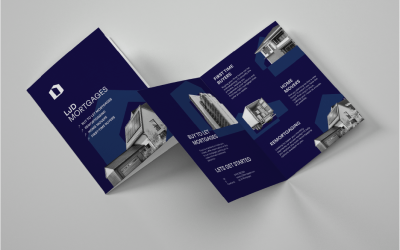
Why Local Businesses Benefit from Direct Mail Marketing
Why Local Customers Matter For many businesses, local customers are the most valuable audience. Restaurants, retailers, tradespeople, and service providers often rely on nearby residents for regular business. Targeting these audiences effectively ensures marketing...
Why Direct Mail Marketing Still Works in a Digital World
Why Direct Mail Still Works In a world dominated by digital advertising, physical mail continues to deliver reliable results. Emails can be ignored, deleted, or lost in crowded inboxes, while printed communications arrive directly through the letterbox, giving them a...
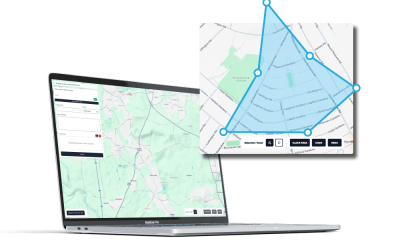
Targeted Mail Campaigns: Reaching the Right Audience
The Importance of Reaching the Right Audience Marketing can be expensive, and sending materials to a broad, general audience often wastes time and money. Many campaigns fail because messages reach people who have no interest in the product or service. Targeted direct...